

Lesson 2 of 12 · Try it · 20 min
1.2 Hands-on: set up Lynk Pay and a payment link
In your practice business:
- 1
- 2
- 3
- 4lynkinfra.com/pay/shirt-alteration
Lynk
- 5
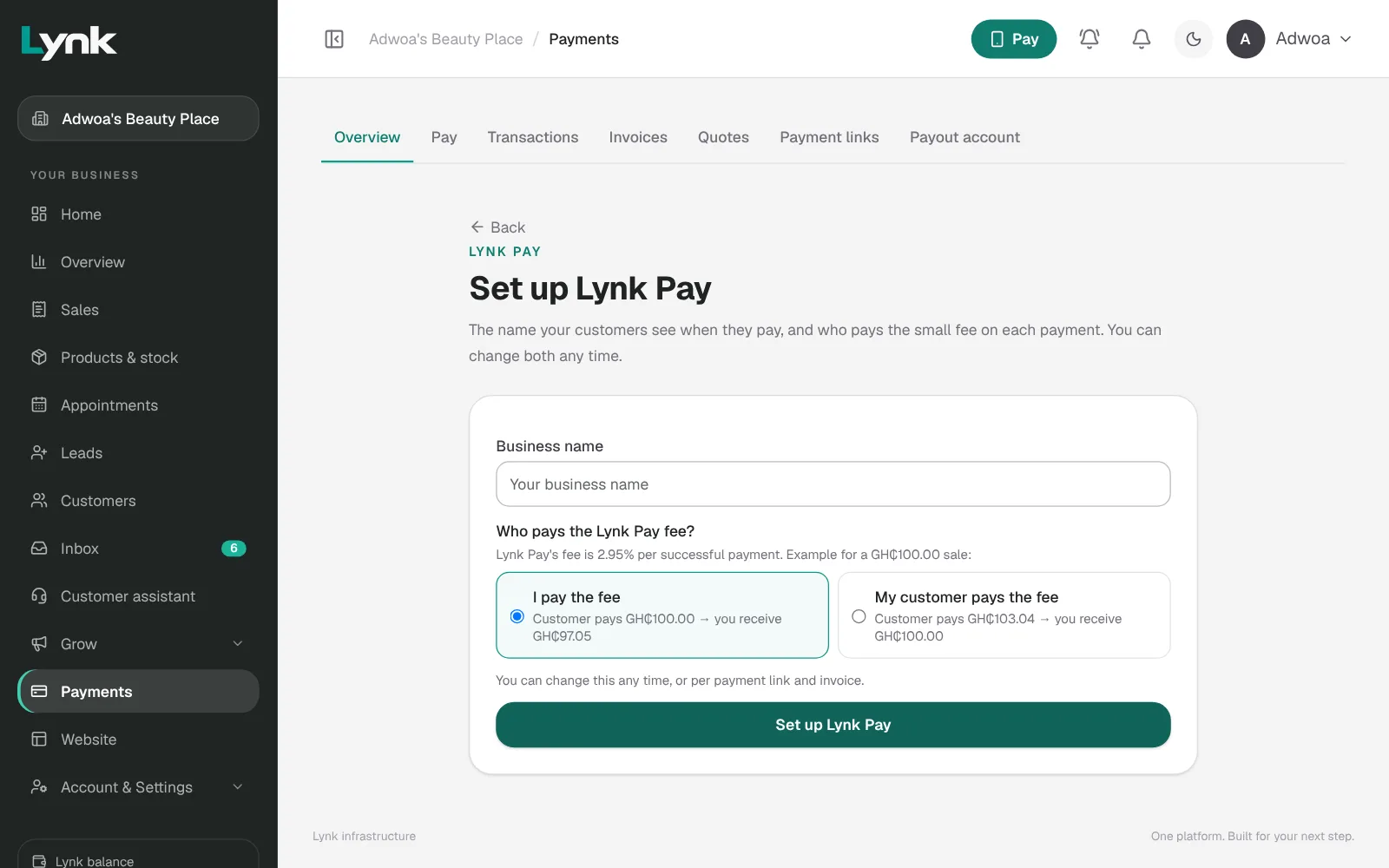
- Open Payments. Under Set up Lynk Pay, type the business name customers will see, choose who pays the fee (I pay the fee or My customer pays the fee), and click Set up Lynk Pay. You start in test mode.
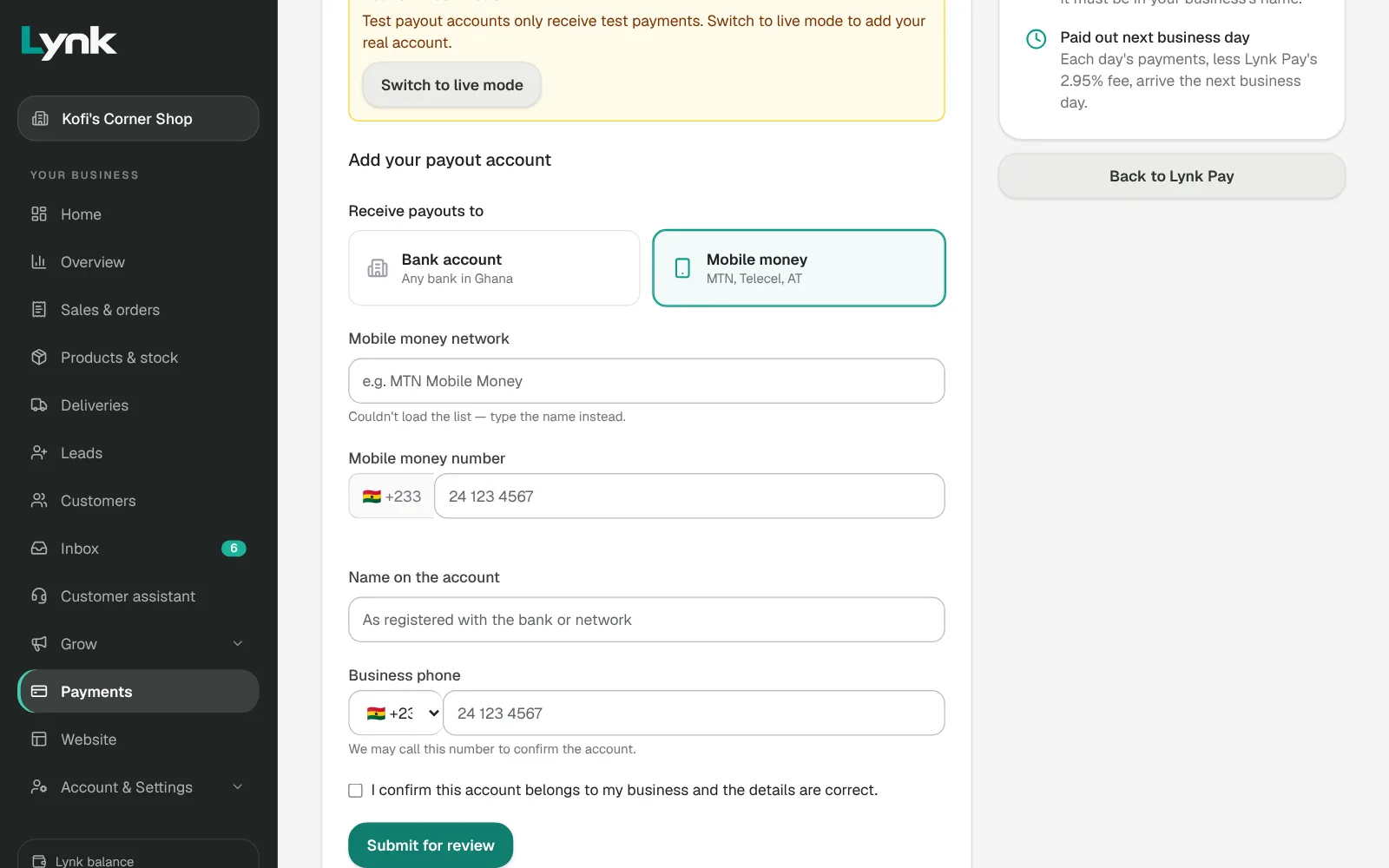
- Open Payments → Settlement. Add a test payout account (Mobile money, any network and number) and click Submit for review. Wait for Test payout account ready.
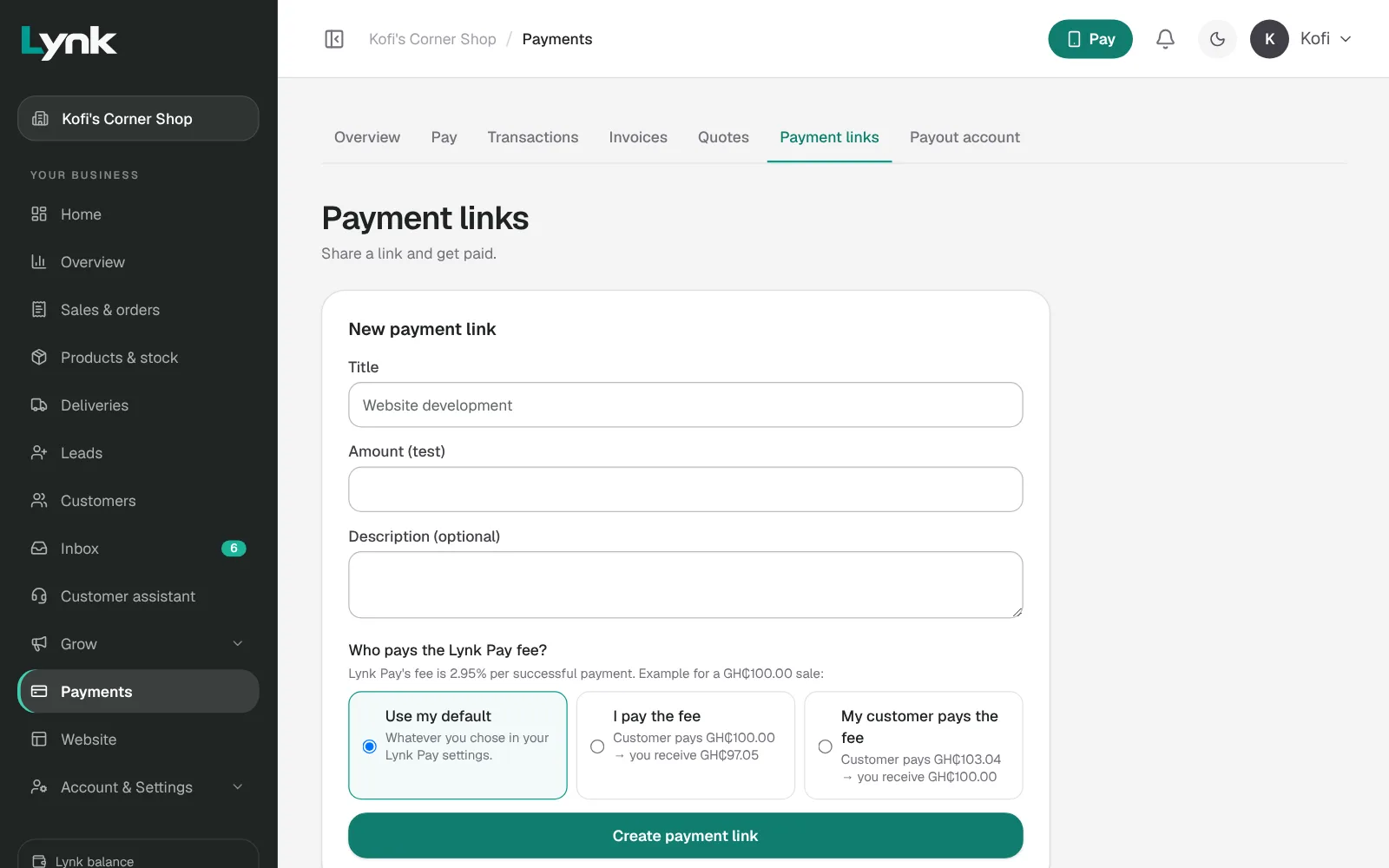
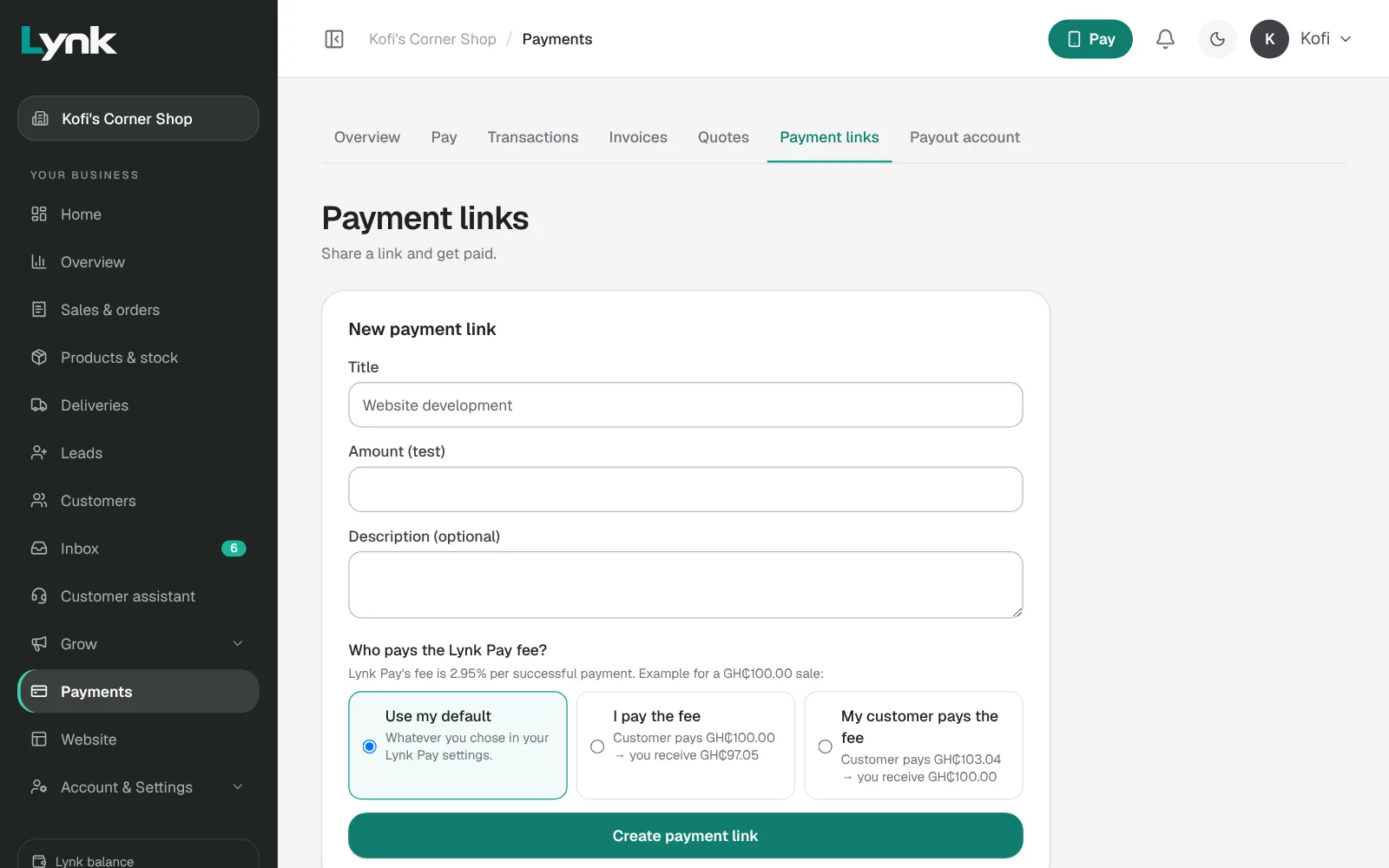
- Open Payments → Payment links. Under New payment link: title Shirt alteration, amount 50. Click Create payment link.
- Open the link on your phone and pay it with the test payment shown. No real money moves.
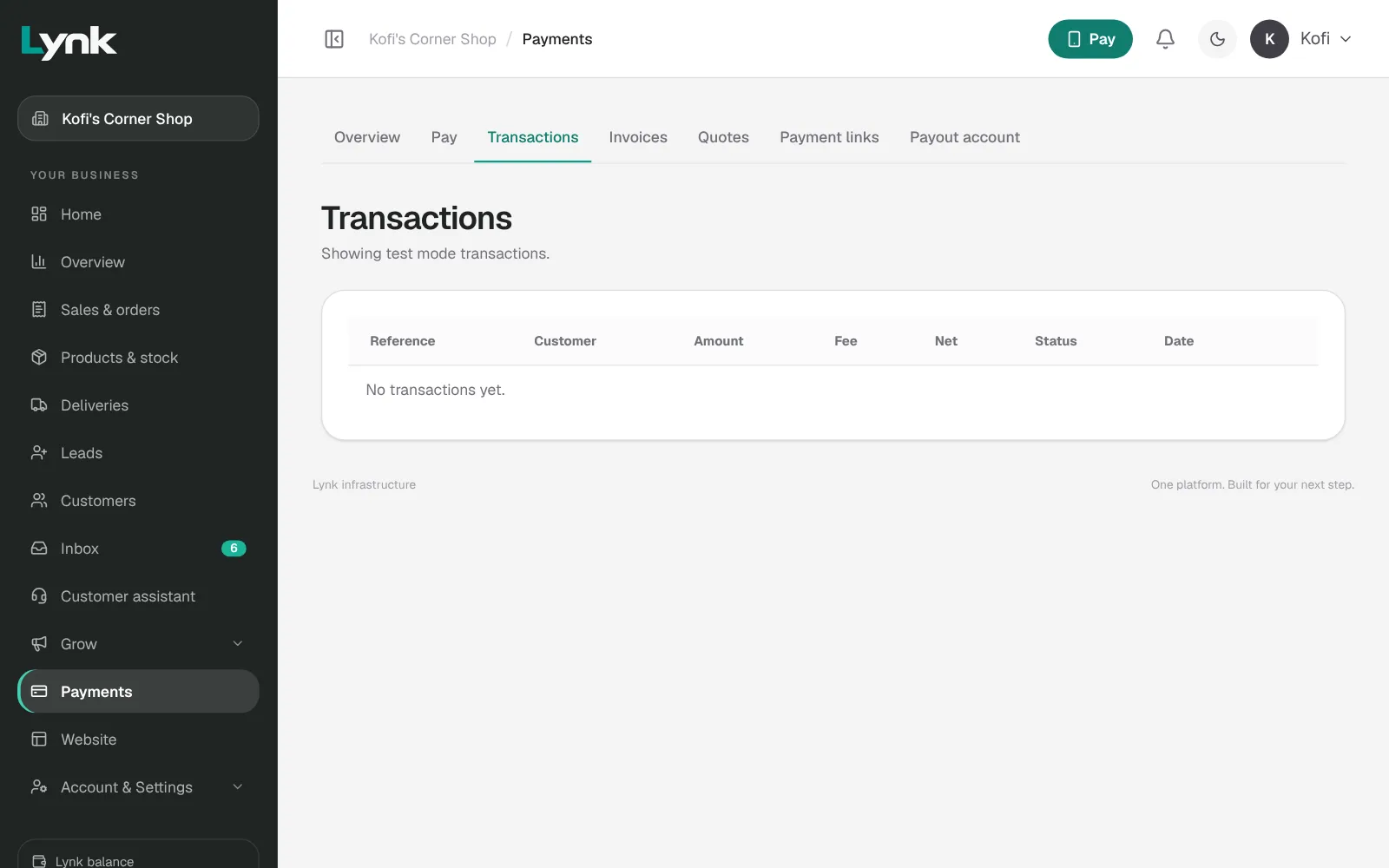
- Find your payment in Payments → Transactions.
When you're done, come back here and click Mark as done.
Try it in Lynk
Now do it yourself. When you're done, come back here and mark this lesson done.
Sign in to try itNext lesson
1.1 How Lynk Pay worksSign in to save your progress and earn the certificate.