

Lesson 1 of 20 · Learn · 10 min
1.1 Make it fit the business
Why it matters. In a survey of 3,325 small businesses in seven African countries, Ghana among them, fewer than 7% used a phone or computer to run the business, and 71% saw no need (IFC and World Bank, reported 2023). The owner keeps it all in a notebook and their head, so they can't leave the counter. An app that fits how they already work is what changes that, and it's what this course teaches you to set up.
Every business works its own way. The setup chat gets close; you make it fit. Everything here is under Account & Settings → Your business, or you can ask Lynk AI.
About and Contact. What the business sells, who it serves, opening hours, policies (50% deposit before we cut), common questions, address and WhatsApp number. Lynk uses these for the website, flyers and answers to customers.
How you work
- What you call them: rename things in the business's words, like Customers to Clients, or Patients for a clinic.
- Your own details: click Add detail, give the Name of the detail (Measurements), its kind, and what it Belongs to. Tick Required or Customers can see it if needed.
- Steps: rename, add or reorder, then Save steps.
- Step rules: what must be true before work moves into a step, for example Measurements filled in before Cutting.
- Checklists: Add checklist, one item per line, Save checklist.
- Add your own kind of record: for things only this business keeps, like Vehicles for a mechanic, linked to customers.
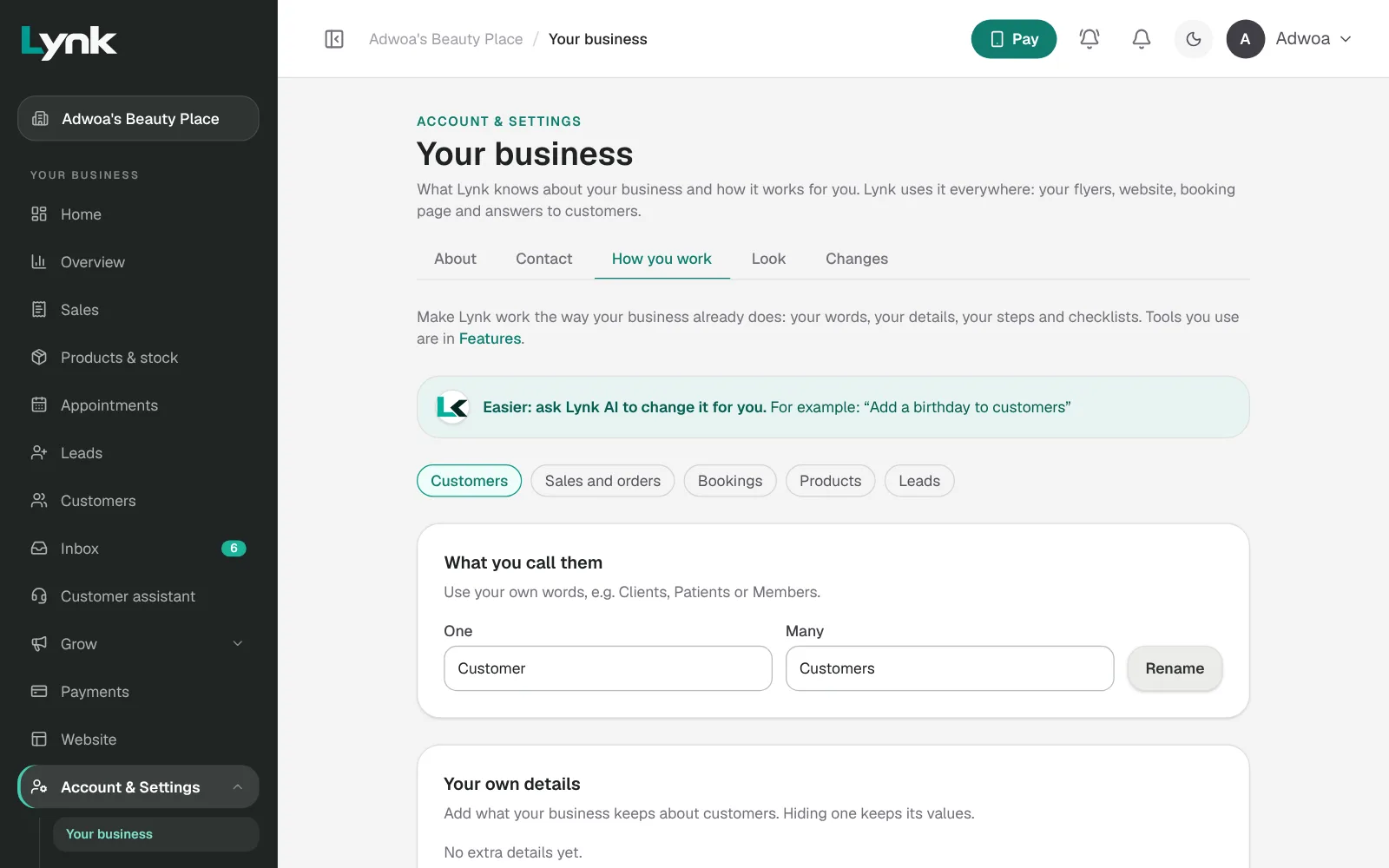
Features (Account & Settings → Features) lists the tools the business uses. Switch off hides one; nothing is deleted.
Or ask: Call customers clients. · Add a Measurements detail to jobs. · Switch off tasks. Each change comes with Undo.
Sign in to save your progress and earn the certificate.