

Lesson 11 of 20 · Learn · 10 min
3.2 The calendar, and paid in full
Appointments shows every booking. View by day, week or month, for everyone or one specialist.
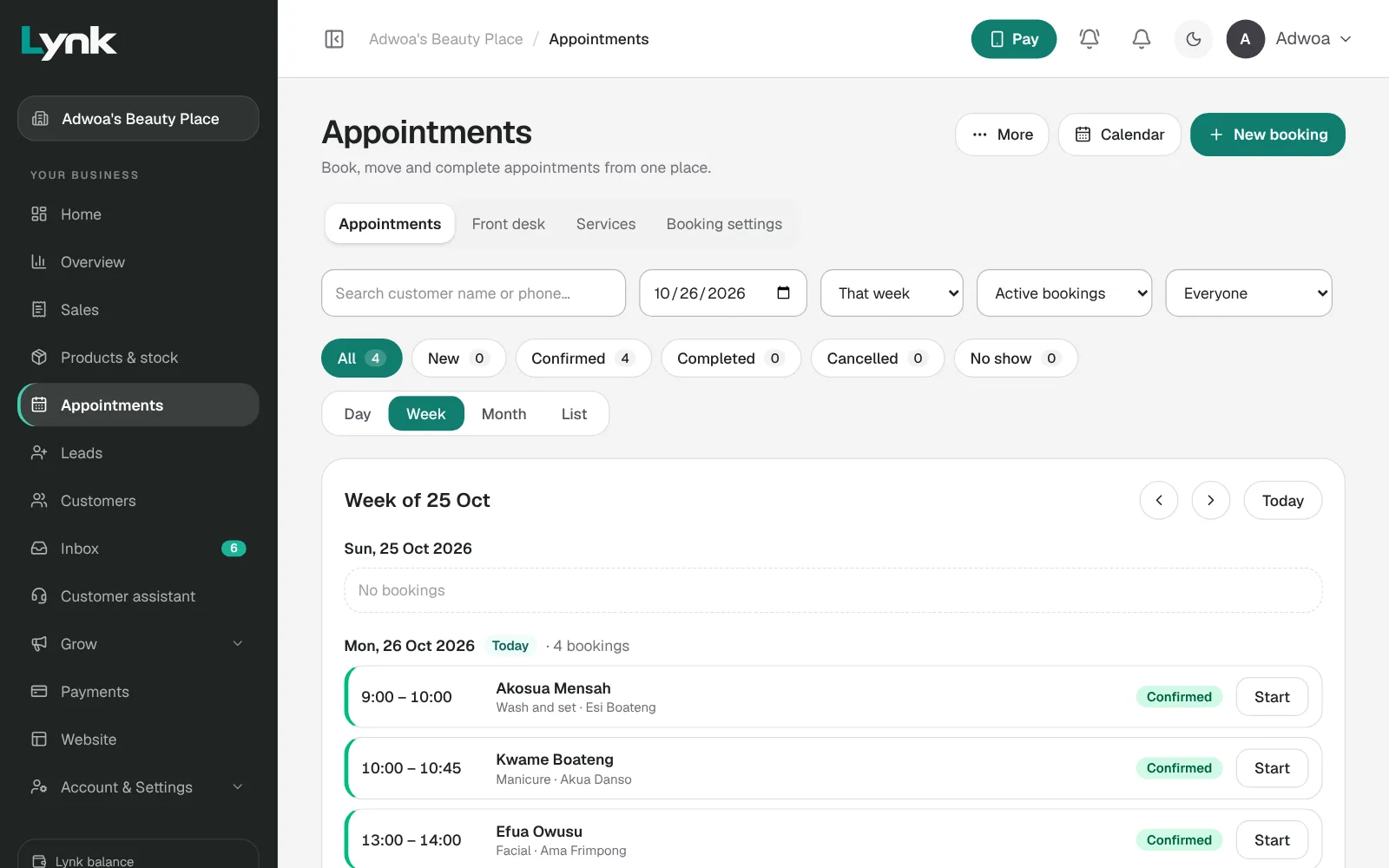
A phone booking or walk-in: New booking, the customer (or Walk-in customer), a service, the specialist or Any specialist, and the time.
| Moment | Click |
|---|---|
| The customer arrives | Start appointment |
| Move it | Reschedule |
| Didn't come | Mark as → No show |
| Cancelled | Cancel appointment, and say Who cancelled? |
Finish and get paid in one step. Open the booking: Lynk shows the price, what's paid and the balance. Choose how they paid and click Done, balance paid.
Paying later? Mark as → Completed, pay later, then Send payment link for the balance. It records itself when paid. No phone saved? Share on WhatsApp or Copy link. Paid in person later? Record the balance they paid.
Or let Lynk do it: in Grow → Automations, switch on Send the balance to pay after a visit.
The rule: no booking stays open at the end of the day.
Sign in to save your progress and earn the certificate.