

Lesson 5 of 20 · Learn · 10 min
2.1 Set up a shop
Watch the shop for an hour first. Ask the owner: How many products? Barcodes? How do customers pay? Do some buy on credit, or at wholesale prices? Who works the counter? What goes missing?
Features (Account & Settings → Features): Products & stock, Point of sale (the till), Sales, Customers, Suppliers, and Locations if there's more than one shop or a store room.
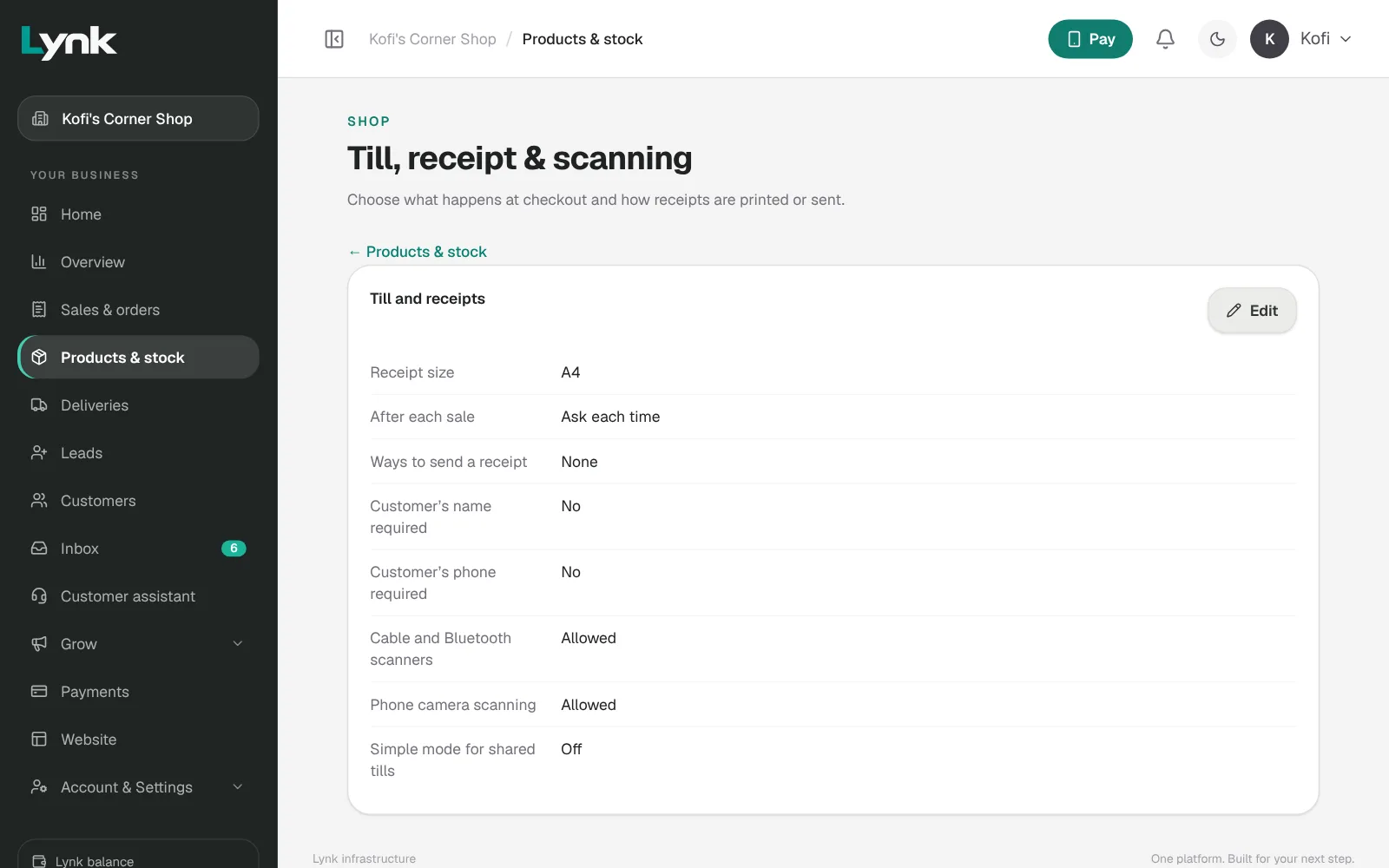
Shop settings (Products & stock → Shop settings, Till, receipt & scanning): Allow phone camera scanning, scanners, ways to send a receipt (Print, WhatsApp, Email), what happens after each sale, and the receipt size.
Many products, fast
- Add in bulk: paste a list with name, price and quantity.
- By chat: send a photo of the stock book: Add these products.
- Add product, then Add and start another.
Give packaged goods their barcode, put products in categories, and print Labels & QR for things without barcodes. Add a Wholesale price for traders and a cost price so Lynk can show profit. Start with the 50 best sellers.
Sign in to save your progress and earn the certificate.